
이번에는 맵(Scene)내에 존재하는 캐릭터들의 이름을 출력해주는 UI를 만들기로 했다.
처음에는 다음과 같이 코드를 짰었다.
using System.Collections.Generic;
using System.Text;
using TMPro;
using UnityEngine;

public class CharaList : MonoBehaviour
{
    [SerializeField] private TextMeshProUGUI CharaListText;
    static public List<string> CharaNames = new List<string>();

    public void CurrentCharaCheck()
    {
        GameObject[] characters = GameObject.FindGameObjectsWithTag("Character");

        if(characters.Length > 0)
        {
            foreach (GameObject character in characters)
            {
                CharaDataHandler charaData = character.GetComponent<CharaDataHandler>();
                CharaNames.Add(charaData.CurrentData.dataSO.charaName);
            }
        }
        else
        {
            Debug.Log("Nothing!");
        }
    }

    public void WriteCharaNames()
    {
        StringBuilder sb = new StringBuilder();

        if (CharaNames.Count > 0)
        {
            for (int i = 0; i < CharaNames.Count; i++)
            {
                sb.Append(CharaNames[i]);
                sb.Append("\n");
            }
        }
        else
        {
            sb.Append("아무도 없습니다.");
        }
        string result = sb.ToString();
        CharaListText.text = result;
    }
}
처음에는 맵 내의 'Character' 태그가 있는 오브젝트들을 찾고, 그 오브젝트들의 이름 데이터를 받아, 이름 리스트에 넣는 식의 구현을 하였다.
그러나 이 체크는 표시를 해주는 기능과 함께 불러오도록 되어있었다.
그러나 실제로 캐릭터들의 체크를 그렇게 자주할 이유는 없으며, FindGameObjectsWithTag를 매번 사용하는 것은 시스템적으로 너무 부하가 갈 수도 있다.
캐릭터가 나가거나, 들어오는 상황에 리스트에 넣고, 빼는 식의 구현이 더 나을 것이다.
그래서 다음과 같이 코드를 변경하였다.
using System.Collections.Generic;
using System.Text;
using TMPro;
using UnityEngine;

public class CharaList : MonoBehaviour
{
    [SerializeField] private TextMeshProUGUI CharaListText;
    static public List<string> CharaNames = new List<string>();

    static public void AddCharacterList(string charaName)
    {
        CharaNames.Add(charaName);
    }

    static public void RemoveCharacterList(string charaName)
    {
        CharaNames.Remove(charaName);
    }

    public void WriteCharaNames()
    {
        StringBuilder sb = new StringBuilder();

        if (CharaNames.Count > 0)
        {
            for (int i = 0; i < CharaNames.Count; i++)
            {
                sb.Append(CharaNames[i]);
                sb.Append("\n");
            }
        }
        else
        {
            sb.Append("아무도 없습니다.");
        }
        string result = sb.ToString();
        CharaListText.text = result;
    }
}
그리고 다량의 캐릭터를 감지해야하는 순간, 게임이 켜질 때, NPC들을 체크할 때, FindGameObjectsWithTag를 한번 사용하였다.
public void Start()
{
    GameObject[] characters = GameObject.FindGameObjectsWithTag("Character");

    if (characters.Length > 0)
    {
        foreach (GameObject character in characters)
        {
            CharaDataHandler charaData = character.GetComponent<CharaDataHandler>();
            CharaList.AddCharacterList(charaData.CurrentData.dataSO.charaName);
        }
    }
    else
    {
        Debug.Log("Nothing!");
    }
}
그리고 플레이어 캐릭터가 생성되고, 수정될 때 캐릭터 리스트에 넣고, 빼는 식으로 구현이 되었다.
using TMPro;
using UnityEngine;

public class NameInput : MonoBehaviour
{
    [SerializeField] private TextMeshProUGUI inputPlayerName;
    [SerializeField] private CharaDataHandler charaData;
    [SerializeField] private GameObject Player;

    public void FinishButton()
    {
        Player.SetActive(true);
        charaData.CurrentData.dataSO.charaName = inputPlayerName.text;
        CharaList.AddCharacterList(charaData.CurrentData.dataSO.charaName);
        GameManager.Instance.isPause = false;
        this.gameObject.SetActive(false);
    }

    public void OpenNameEdit()
    {
        GameManager.Instance.isPause = true;
        Player.SetActive(false);
        CharaList.RemoveCharacterList(charaData.CurrentData.dataSO.charaName);
        this.gameObject.SetActive(true);
    }
}
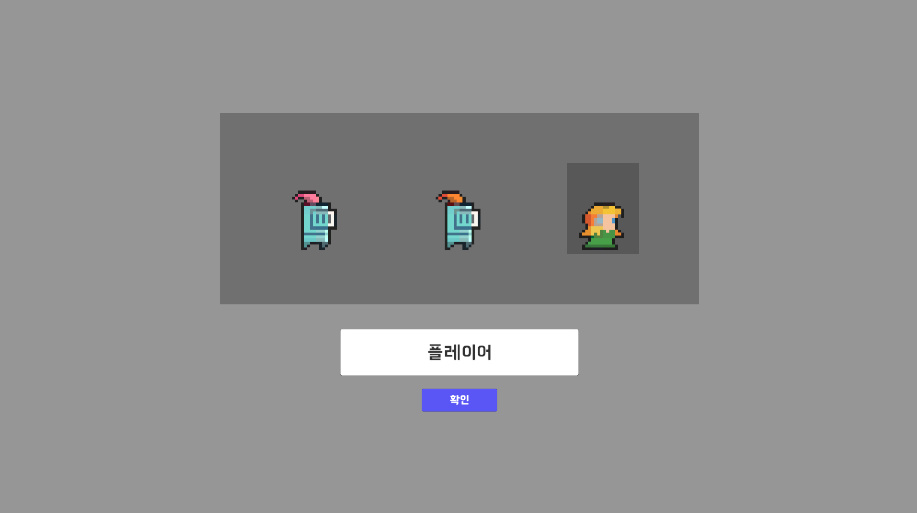

캐릭터 생성시 캐릭터 목록에 잘 추가된 것을 확인할 수 있다.
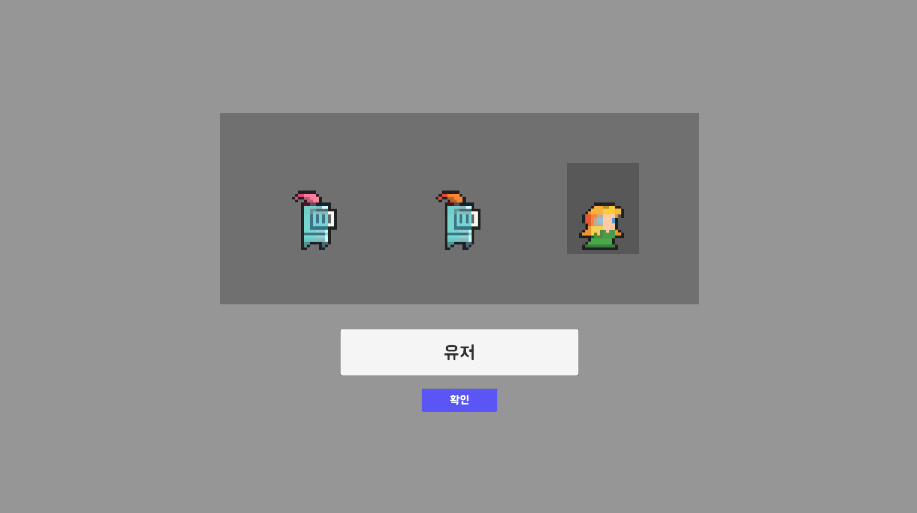
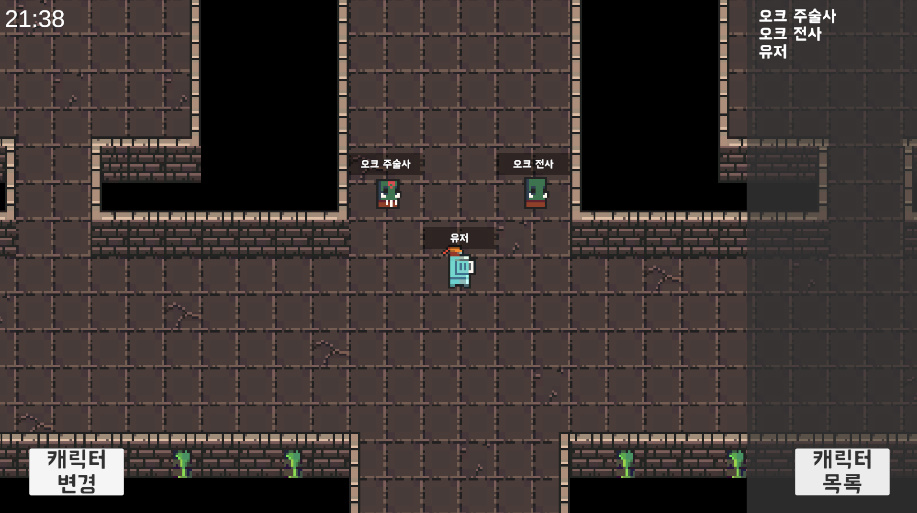
만약 캐릭터 정보를 변경했을 때도 다시 변경된 사항이 반영된 것을 확인할 수 있었다.
'내일배움캠프 TIL' 카테고리의 다른 글
| 내일배움캠프 21일차 TIL "캐릭터의 무기 회전시키기" (0) | 2024.10.14 |
|---|---|
| 내일배움캠프 20일차 TIL "애니메이터와 애니메이션 컨트롤러" (0) | 2024.10.11 |
| 내일배움캠프 18일차 TIL "Scriptable Object를 이용한 캐릭터 정보 적용" (0) | 2024.10.08 |
| 내일배움캠프 17일차 TIL "Input System을 이용한 캐릭터 조작법" (0) | 2024.10.07 |
| 내일배움캠프 16일차 TIL "ref, out" (0) | 2024.10.04 |